

Hi everyone! It’s Tony 👋
I’ve always had great respect for all indie game developers. Being an indie developer is already difficult, an indie game developer is just at another level. You not only have to have great coding skills, but you must also have art skills, design, music, storytelling, and gameplay creativity.
I have always wanted to build small games, but I had none of the artistic skills necessary to do that (even in terms of coding, there are still many technical things that are specific to the game development world that would take me a long time to learn).
Now with AI, those things don’t seem to matter anymore, at least for a small game that I want to create.
I wanted to build something fun that one can play for like an hour and have an amazing, entertaining time. So I finally started building one for the past few weeks.
The game I built is called “Survive 10 Waves” and is now available to play for free on www.survive10waves.com
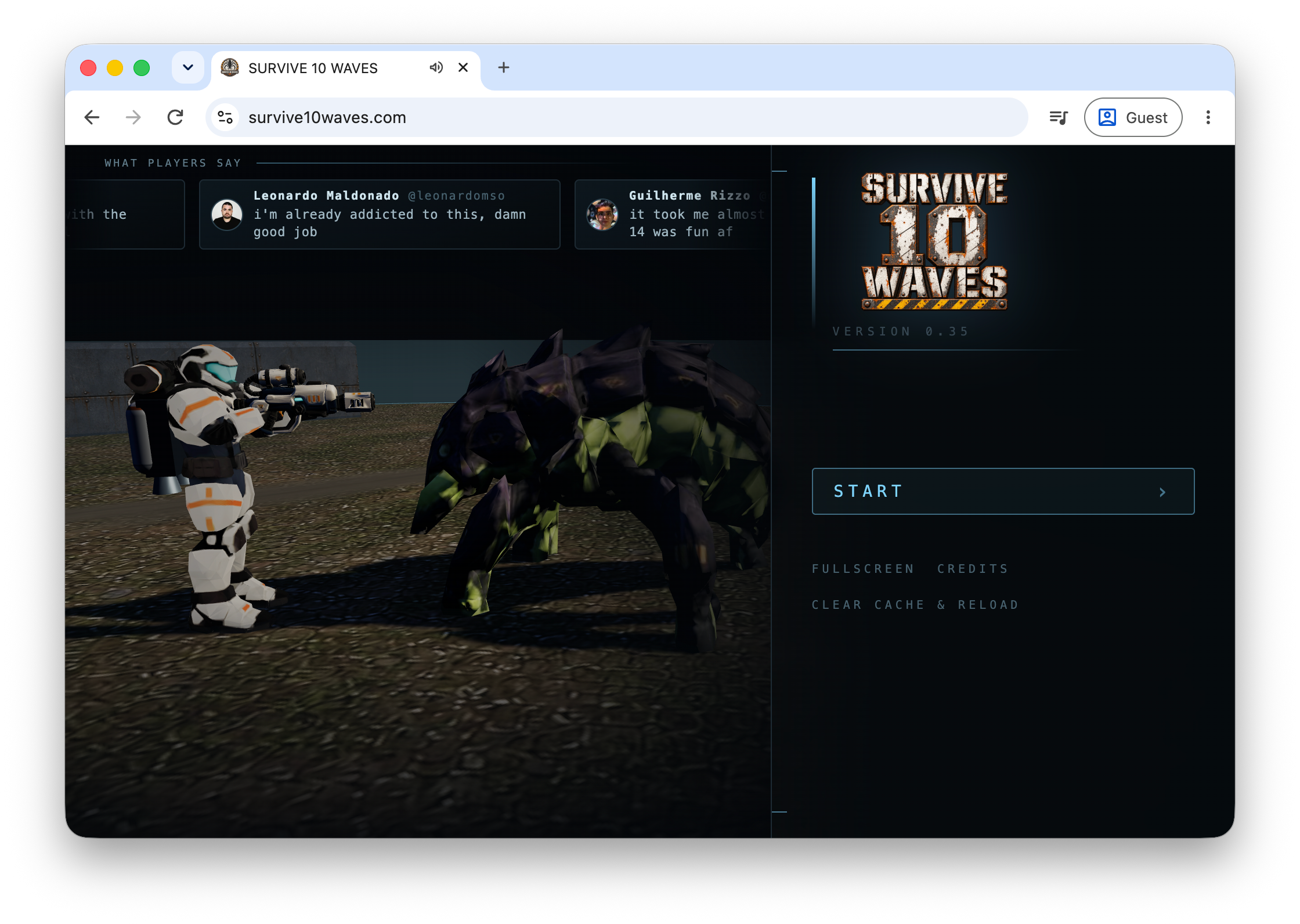
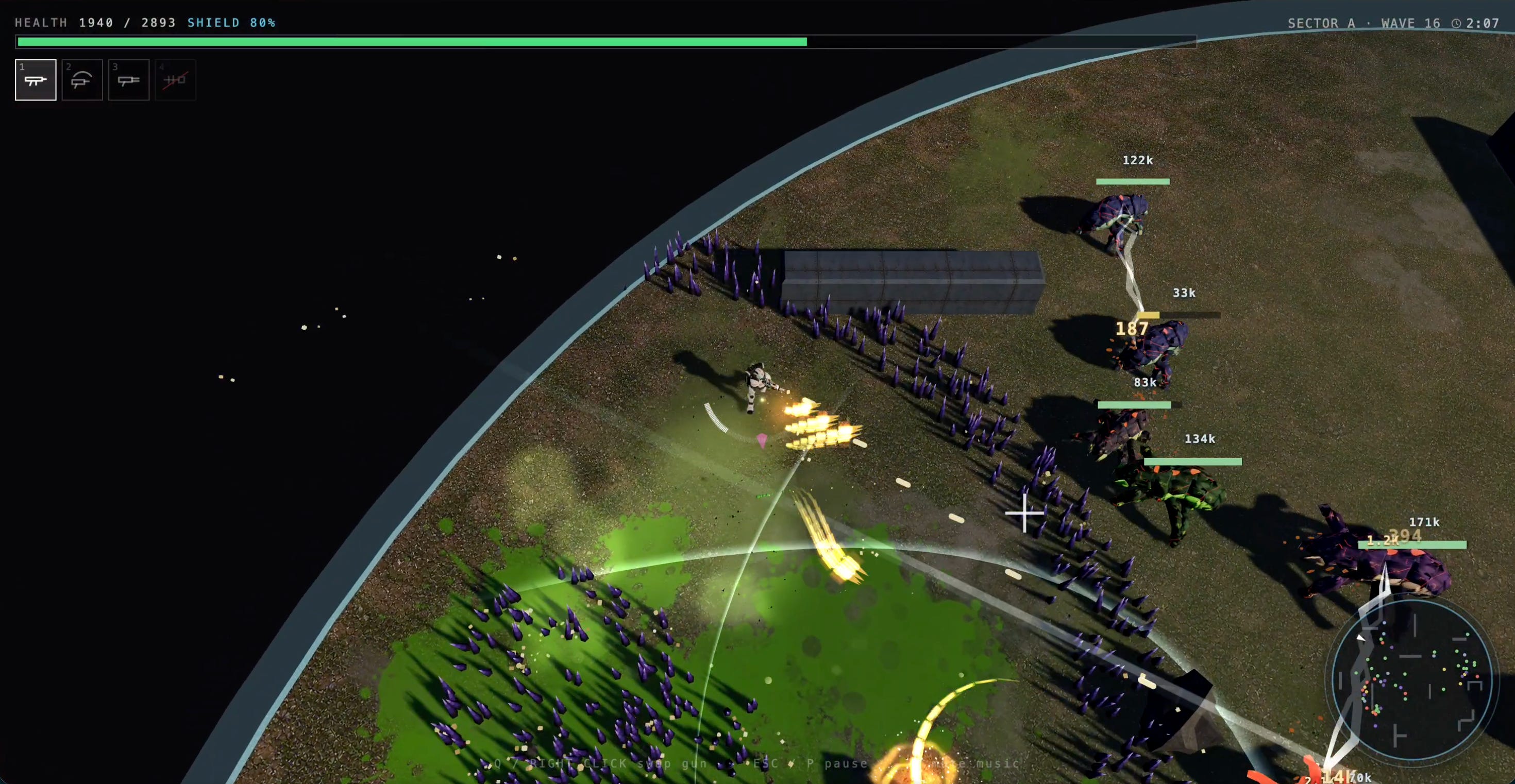
I had so much fun building it!
In this post, I’ll share the progress of building this game.
Music
Surprisingly, the first thing that inspired me to start building the game was the soundtrack.
I randomly heard an incredible soundtrack from Marc’s vibe-coded game (“low, slow, drone, industrial, dark ambiance”), which I later learned that he generated from Suno. I dig this kind of music and I didn’t know Suno could generate such great quality!
After mixing the prompt a bit to my liking, I generated a few more so I can blast it in my living room speaker. This is one of the first tracks that I generated.
Prompt:
Atmosphere, background music. Industrial slow-burn rock soundtrack with a dragging half-time pulse, low-tuned drones, metallic hits, and distant sub rumbles; verse-like passages stay sparse with industrial hums and cracked amp texture, then widen into heavier swells and ghostly reverb tails, Flickering machine ticks, reversed swells, and air-pressure risers bridge each phrase, Dark, vast, cinematic mix with a deep subterranean floor and cold wide stereo space, theme, industrial, rock, soundtrack, dark ambient, drone, low, slow.
The entire game was later built around the atmosphere and the theme of this soundtrack.
The 3D models
I started exploring the part that I think is the most difficult: the 3D models animation.
Surprisingly, the AI these days can generate an accurate, high-quality 3D model extremely well. I first used GPT Image 2 to generate the 2D image of the character, then used Meshy.ai to turn that into a 3D model.
This is the same process I used to generate all the static 3D assets in the app.


The only problem left that AI can’t help me with is to automatically rig and animate, meaning adding bones and joints to the 3D models to make them move.
Most tools allow me to rig a human-shaped character quite easily, but for weird alien creatures with 6 legs and fangs, the process isn’t as good.
Eventually, I resort to procedural animation, meaning using code to control the model's bone positions and create hand/leg movements programmatically.
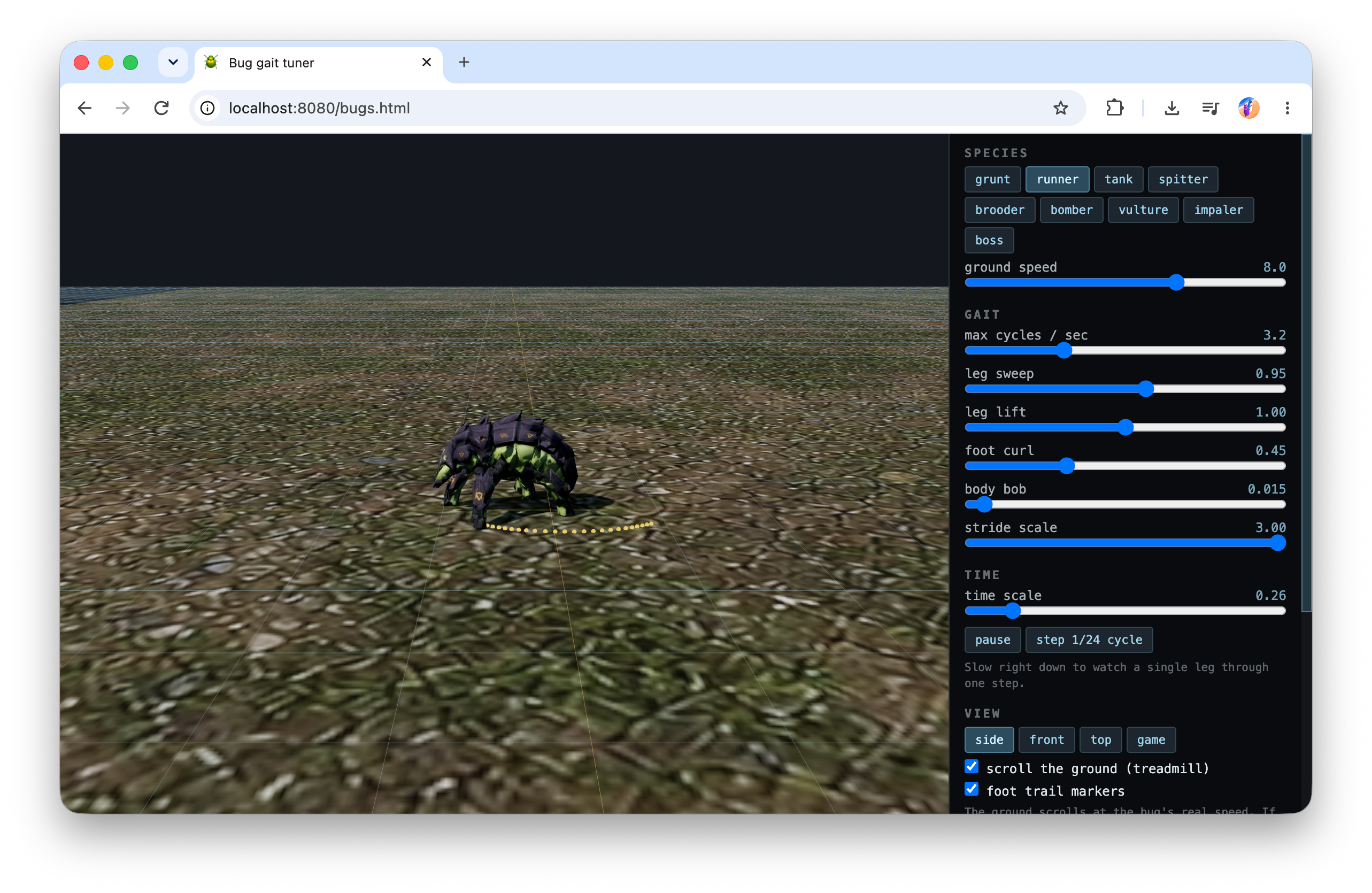
The main character is the most time-consuming because of the movement system I want to use in the game. I want the character to move in a way that lets them point the gun in one direction while moving in another. Professional game devs know this as “strafing” but it was the first time I learned about these concepts.
Oh, and in case I haven’t made it obvious, I didn’t write or read any code.
I also have zero skills in 3D model design or even 2D art. Everything is AI-generated.
I just tell Claude Code to “make it like this like that” until I’m happy with the result. There are times when the AI struggles, I asked it to build a debug tool where I can use my human eyes to test and help it debug issues.
I did everything on my MacBook Air. Most of the time, the AI can build and test using a headless browser without any problem. I used Claude Code, but I’m sure any other AI harnesses can do the same.

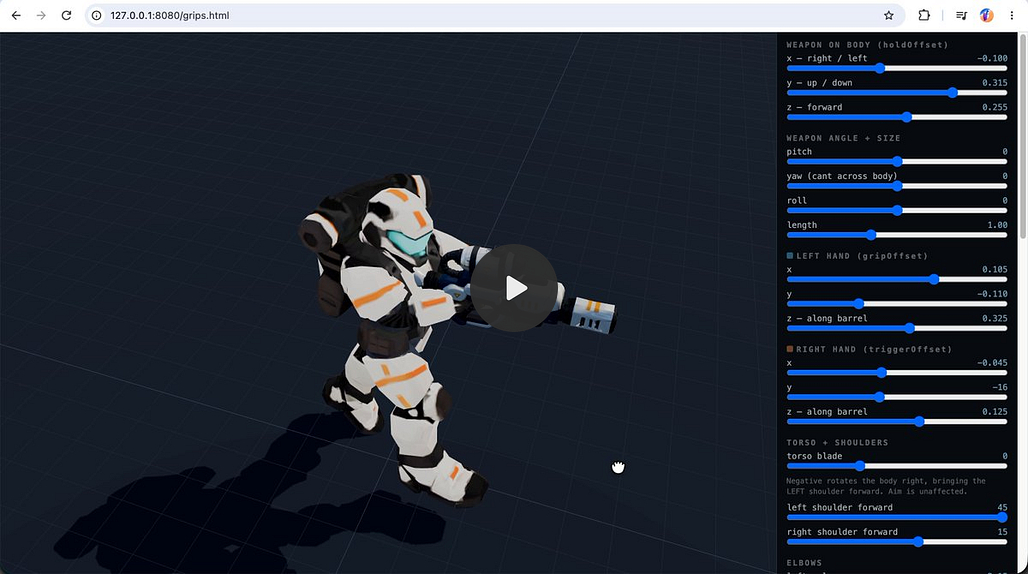

Game play
I had a very clear idea of the game I wanted to make: a wave-clearing game with upgrades between the waves. It’s relatively easy to set up a good progression, and can be finished within a reasonable scope.
I also want the game to have skill-based, high action-per-minute controls, with a lot of visual effects and sound effects on screen. To me, it’s all a good game is about.
For the game’s theme, I especially like the satisfaction of killing alien bugs in the classic Alien Shooter. I like the aliens’ attacks from the game Factorio, I also like the gun shooting system from the game Control, and the game loop mechanic from Helldivers.
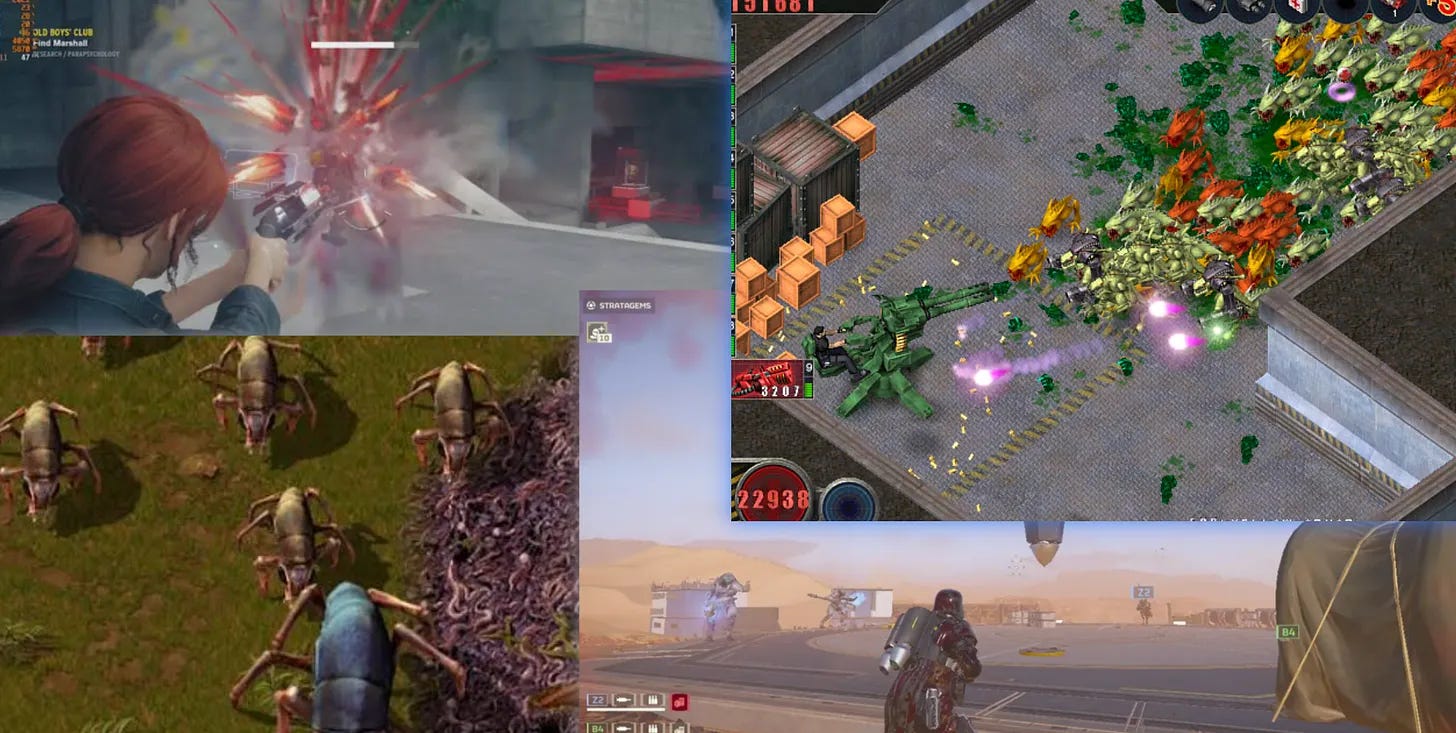
So I want to bring them all into a game and blend them in a way that makes sense. I think it would be really fun (at least for me!).
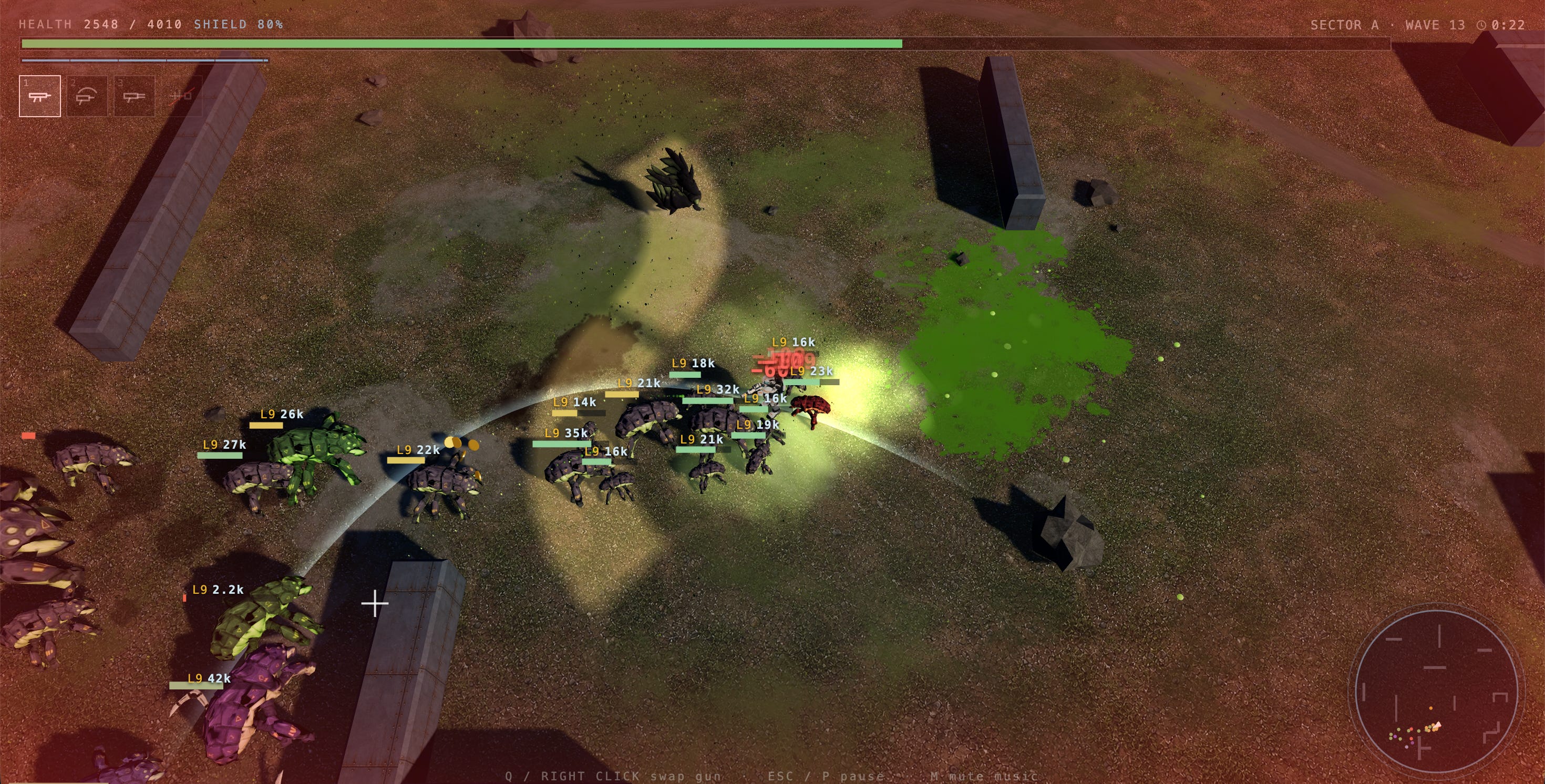
The gameplay I settled with is a top-down 3D shooter game where you have to survive waves of alien creatures that try to attack you, and every time you clear a wave, you have upgrades available.
I learned the enemy attacks from some other games that give you some warning in advance of the attack area, so the game becomes a bit of a “dodging game” with the character movement, and a bit of a shooting game with guns and upgrades.
What makes a game feel good
I have no experience whatsoever in gameplay design, so I could only rely on my experience with playing games to make the game interesting.
To me, I like the feeling of visual effects, sound effects, music, and skill-based elements, and they all must come gradually via a balanced progression.
The progression of the game is crucially important. If at any point during gameplay the game becomes too easy or too hard or too repetitive, it becomes boring.
So I tried to organize the waves, the number of enemies, the available modules for upgrades, the damage of each gun at each level, etc., and I test-played it a lot.
I aim for roughly 1-3 minutes per wave, no matter if the player has played for 5 minutes or 50 minutes; the waves will be designed to end within 1-3 minutes purely based on the progression scale and the player’s nature upgrades (not by something arbitrary like a countdown timer).


In order to achieve the 1-3 minute finish time, I asked AI to help me a lot during this process to estimate the amount of damage per second on each gun, the HP of each enemy type, the expected amount of coins collected at a given wave, the expected number of modules and level of each module, the number of bugs, etc.
It’s quite fun to work with all of these numbers, then test-play the waves to see if it matches.
The game balance is still not perfect, but I’m learning a lot, and I think it’s good enough.
Working with AI
Claude Code (or any other AI models these days, I think) is so good these days that I can just ask for anything in the game, and it will build just that.
The only job for me to do is to think of what I want in the game, how I want it, do QA, and a bit of debugging with the AI from time to time.
So I spent most of my time setting up a good set of guns, modules, enemies, attack patterns, move patterns, etc. based on my preference. I could obviously ask AI to come up with these for me too, but where is the fun in that? I want the enemies to be a specific thing, move in this specific way, and attack in this specific pattern.
Mostly I used inspirations from other games I played in the past, but also invented some quirky enemies myself too. And everything that I come up with, AI can build it for me. Obstacles, visual effects, pathfinding for the enemies, animations,… everything.
I gave the AI an ElevenLabs API key to generate sound effects (all of the sounds you hear in the game are generated by ElevenLabs). I gave it an OpenAI API key to generate texture images and a Meshy API key to create static 3D models.
Limitations
As powerful as LLMs can be, I faced a few issues with the codebase that I eventually had to step in and create rules so that it doesn’t mess up.
One of the first issues I had was that the AI kept putting everything in one giant file. You would think they have great software engineering skills at this point, so I was surprised when I saw that the main file is now 3,000+ lines.
I started the project with a single HTML file and never checked or discussed anything about code quality, so over time, the AI just kept adding stuff without thinking about refactoring or reorganizing the project. I’ve seen long files and more than 20 files put flat in a single folder with no attempt to make a basic folder structure to organize the files.
I only noticed it because at one point the file got so big that instead of editing the file directly, my Claude Code started to write a Python script to edit the file, and then every time it needed to edit or write new code, it had to write the Python script in order to write the actual game code.
That was extremely slow and wasted a lot of tokens. That triggered me to check what’s going on, and that’s how I found out the issue.
Another problem I faced was that Claude Code put a lot of comments in the code, to the point where I think the amount of comments is almost double the amount of code.
When I inspected these closely, I can see that the comment was “narrating” the history of the funtion/file or a snippet.
It’s like every time I change my mind about something in the game, it documented that down in the code comment, even though the old behavior is no longer important.
So because of these issues, I finally had to create a CLAUDE.md file and set some rules. Overall, the entire building with AI experience is still pretty good.
My entire CLAUDE.md file:
- Do not write comments. Code should be self-explanatory: name things for what they are and keep functions small enough that prose is not needed.
- Comments are for exceptions only — a constraint the code cannot express. When one is truly needed, write a short sentence, never a paragraph. Comments go out of date; code does not.
- Keep the code base in good shape. Max 500 lines per file.
- Organise `src/` into folders by area. A flat directory of dozens of files is not a structure.
- Testing: you can load a browser to verify the game load properly, but never try to do an end-to-end testing with screenshots (you are very unreliable with visual testing). Don't try to take screenshots of the game, no need to mention in your response that you skipped testing.
- If you need to generate new sound effects, use ElevenLabs API.
- If you need to generate new texture, use OpenAI GPT-Image-2 API.
- If you need to generate new static 3D models (no animation), use the Meshy API.
- Relevants API keys are available in .env (or via Cloud Agents Runtime Secret)
- Check the `tools/` folder to see what tools you have access to.
- Never use audio blips for sound effects, always use real sounds effect generated by ElevenLabs APIs.
Once every few days, I load the project into Cursor, ask the cloud agents to review the codebase, “/loop refactor until you are happy,” and let it run overnight. The next morning, I wake up and test the game one round to make sure nothing is broken and then continue building.
The special wave
When I shared the early version of the game on my Twitter/X, some people commented that the music was incredible (which I wholeheartedly agree with!). It really made the feeling for the game. It reminds me of one of the best experiences with music in gaming that I’ve had.
In the Ashtray Maze level in Control (a game by Remedy Entertainment), the developer combines a very good song with the player's progress in the game in a way that makes the song “follow” you in each scene.
It’s hard to put into words, but I’ll try.
The special level started with a song; this song (like any other song) has multiple sections: low, high, peak, low again, switch tempo, peak again, outro, etc. Similarly, the special level is also designed this way, by arranging the enemies and environment in a way that roughly matches the song’s structure.
And the special thing here is that the player will go through this level completely in control of the pace. They can stay in one section as long as they want or move fast through sections, and the songs will follow the player.
It felt incredibly good when you hit the boss and the music changes but still “makes sense” and still the same song, and when you defeat the boss or move to the ending section, the song just ends “naturally”.
The Remedy team really knows how to make the player feel like they are the main character and they are in “Control”.
I was extremely impressed with the experience, and wanted to add something like that to my game too. I want to see how difficult it is to recreate this experience.
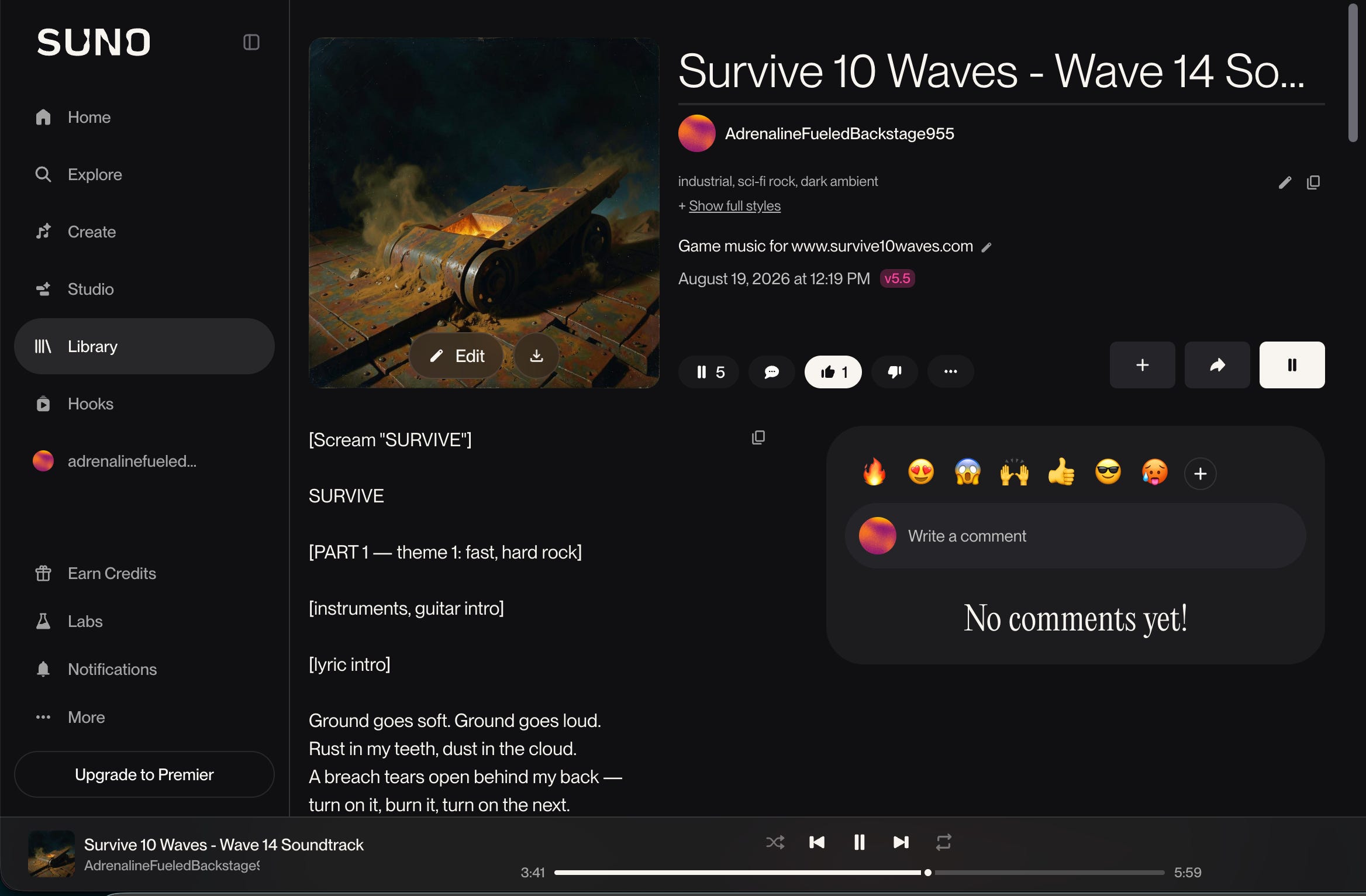
So I started generating theme-fitting lyrics for a song about the my game (the name is “Survive 10 Waves”), it needs to have all the necessary sections to create a good experience. I used Suno to generate the song. You can listen to it here.
Then I asked Claude Code to analyze the WAV file and create a little tool for me to start creating loop sections. I spent a good amount of time selecting and fine-tuning the loop sections and the fade/blend mechanic to make each one sound good.
This is also the point where I started learning some music terms like BPM, bar, beat, etc., which was interesting. The tool I made was specifically for the track that I’m working with, but I think it can be generalized to work with any song.
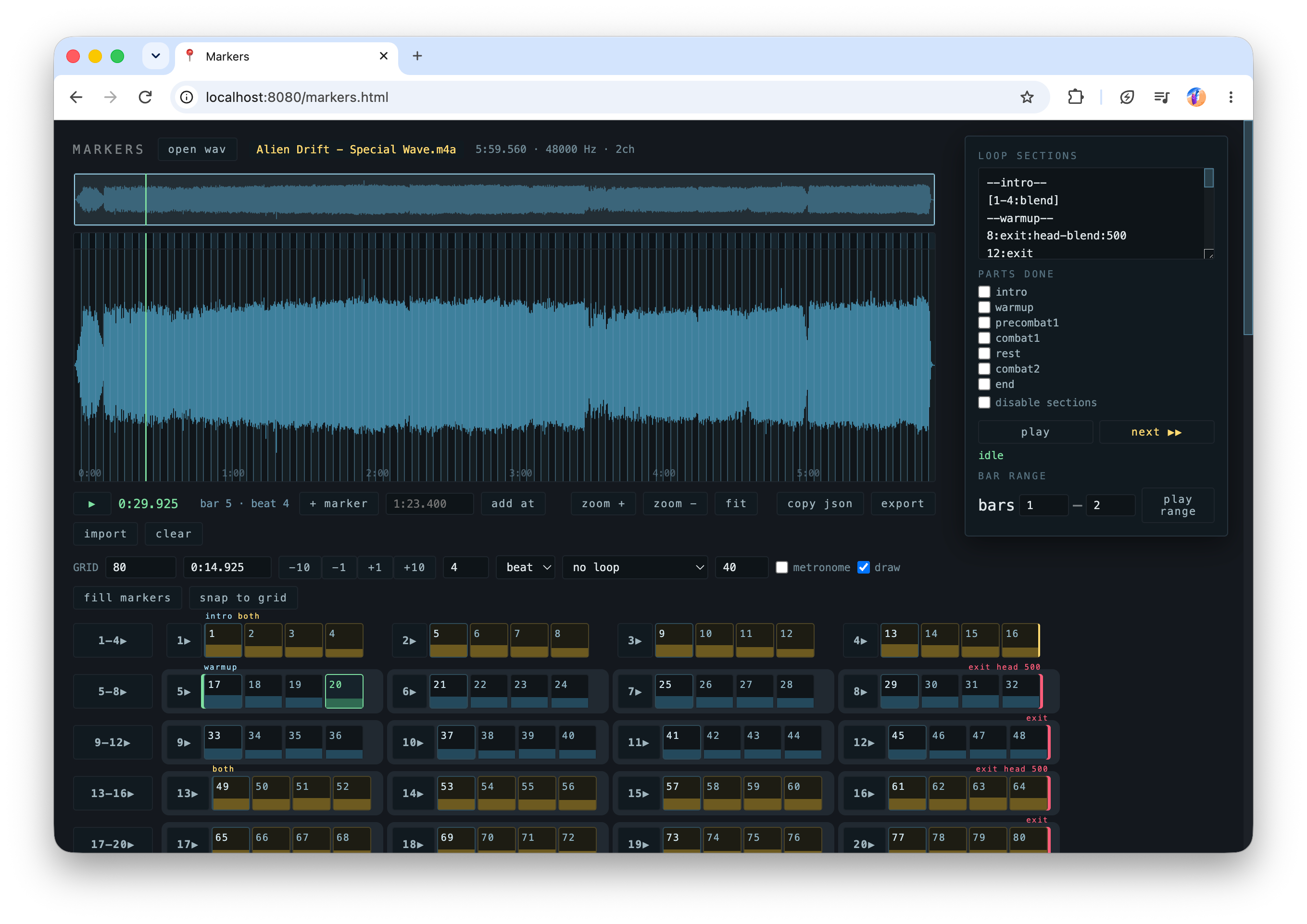
So I divided the song into 7 sections: intro, warm up, pre-combat, first combat, rest, second combat, and ending. Each section will have a loop section that I can keep looping if the player spends more time on that section, and the song still sounds good while it’s looping (players actually would never notice the loop at all if they are actively playing in combat!)
Other than the loops, I also set up “early exit points” in each section. These are for in case the player cleared a wave faster than the length of the section of the song, we can transition the song to the next section seamlessly. If the player is really fast, they can skip an entire section of the song, and it still sounds “relatively good” without weird cuts.
I made up a notation language and asked Claude Code to parse it so that I can work on fine-tuning the loops and exit points easily. For example, a notation “[35-58:blend]” means loop from bar 35 to bar 58 of the song, using “blend” as the mixing mode. The entire loop sections of the track look like this:
--intro--
[1-4:blend]
--warmup--
8:exit:head-blend:500
12:exit
16:exit:head-blend:500
[13-24:blend]
--precombat1--
[25-28:tail-blend:500]
--combat1--
20:exit
[35-58:blend]
--rest--
38:exit:tail-blend:500
42:exit
46:exit
54:exit:head-blend:600
50:exit:head-blend:800
59:entry
[75-86:blend]
--combat2--
82:exit
[98.3-110.2:head-blend:800]
--end--
74:exit
78:exit
102.2:exit:head-blend:800
106.2:exit:head-blend:800
The result of this was really satisfying, at least for me and a few people who experienced it:


You can play around with the soundtrack in this demo and check out the source code here (or you can also experience it for the first time directly in the game!)
Finishing the game
To me, building a game is so satisfying and addicting, almost as playing the game itself. But at some point I want to finish it and call it done.
I want to make it become an entertainment “finished artifact” where it’s like a movie or a Netflix show that you can open up, have a great time, and be done. You might come back to it later and experience it again, but for now I don’t want to make this one an ongoing project.
The game is also free to play, directly on the web, no install needed. But I will try to publish the game on Steam and the iOS App Store, just as an achievement.
If you want to play the game, just go here: www.survive10waves.com (Highly recommend using headphones with the game music on!)
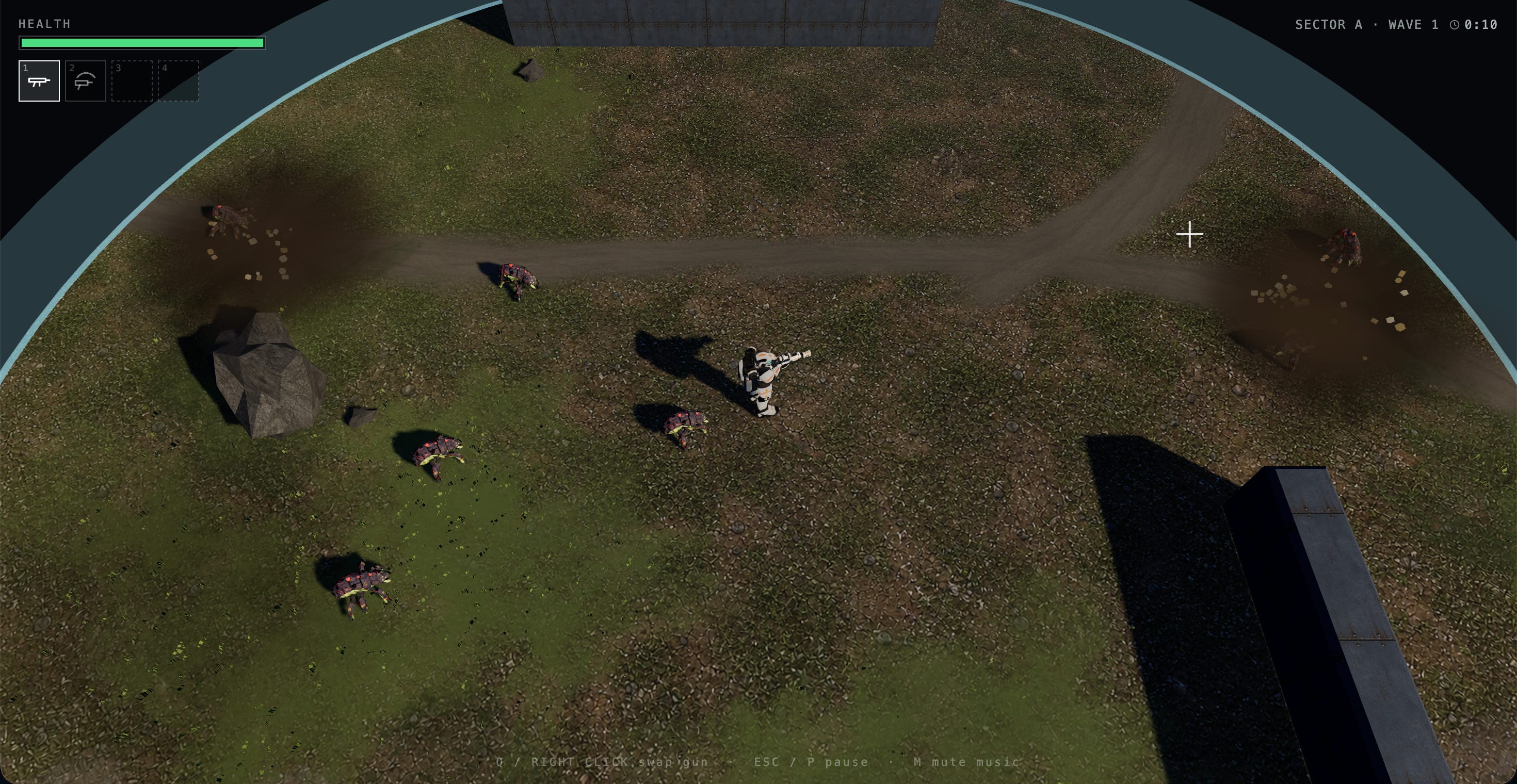
If you end up having a great time, please send me your gameplay video, tag me on Twitter/X, or share your YouTube link! I really love to see how people play the game. It’s so much fun to watch.
That’s all for now! Thanks for reading!
Man, what you created is so much more than a fun little AI-built game. I’m genuinely not a gamer, and the last time I spent this long playing a game was probably five years ago. Somehow, I’ve already spent more than five hours playing this over the past few days 😱
It’s honestly a masterpiece. Reading about how much thought you put into the progression, enemies, sound design, and especially the adaptive soundtrack made it even more impressive. So many valuable lessons and so much inspiration in this post. Thank you for building this and sharing the entire process with us!
The adaptive soundtrack idea is seriously cool the way the music follows the player’s pace sounds like it adds a whole new layer to the game.